Best Bookmark App for Entrepreneurs & Founders (2026 Guide)
Written by LinkVault Team
Entrepreneurs operate at the intersection of more tools, portals, dashboards, and resources than almost anyone else. In a single morning, a founder might touch their Stripe dashboard, their AWS console, their CRM, their analytics platform, a Notion doc with investor notes, a competitor's pricing page, and three different Slack channels — and they need to find each of them without spending time searching. At the same time, they are constantly saving research — competitor teardowns, fundraising resources, hiring templates, market data, and industry reading — that needs to be organized and retrievable when it is relevant.
The problem is not that entrepreneurs lack tools. The problem is that their tools, research, and resources are scattered across a dozen different systems with no single place to find everything. Important links live in browser bookmark folders with unhelpful names, in email threads buried under thousands of replies, in Slack messages that disappeared behind three months of conversation, and in notes apps that are one long document. The cognitive overhead of hunting for things is a real cost — time and mental bandwidth that should go toward building.
Common entrepreneur bookmark problems:
Too many tools and portals to track. Important links scattered everywhere. Can't find logins when needed. Research and inspiration lost. No system for competitor tracking. Hard to share resources with team or investors.
This guide shows how to build a founder's digital command center — a single organized place where every tool, portal, and resource you need is findable in under ten seconds.
Why Entrepreneurs Need Better Bookmark Systems
The cost of disorganized tools is not just wasted seconds — it is fragmented attention. Every time you have to search for a link, open several wrong tabs, or ask a team member where something lives, you break your focus and burn a small amount of the limited executive bandwidth that is one of your most important resources as a founder. These interruptions compound: a founder who spends an average of four minutes per day hunting for links spends over twenty hours per year on a problem that is completely solvable in an afternoon.
The second cost is knowledge loss. Entrepreneurs encounter valuable information constantly — competitor strategies, market data, investor patterns, recruiting playbooks, growth tactics, fundraising precedents. Without a system to capture and organize this information, it flows through and out. A competitor analysis you did six months ago is useless if you cannot find it when a board member asks the relevant question. A fundraising template you saw shared in a Slack community is lost if you did not save it to a retrievable system.
A well-organized bookmark system solves both problems. Every tool and portal is findable in one search. Every piece of research is annotated and tagged so it is retrievable when it is relevant. New team members can access the full resource library on day one. And the entire system takes less than two hours to set up and fifteen minutes per month to maintain.
Essential Bookmark Categories for Founders
The category structure below is designed to mirror how a founder thinks about their work — by business function. Every tool and resource has a natural home, and browsing the list gives you a mental map of your entire digital workspace. Adapt the names to your specific business, but keep the list to seven or fewer categories. Every additional category is a decision you have to make every time you save a link, and decisions burn mental bandwidth.
- Business Operations: banking portals, accounting platforms, payroll systems, legal tools, insurance portals, and any administrative tool you log into regularly
- Product and Engineering: hosting consoles, deployment dashboards, database portals, API references, monitoring tools, version control, and infrastructure resources
- Marketing and Growth: ad platforms, email marketing tools, social media dashboards, analytics portals, content management systems, and SEO tools
- Sales and Revenue: CRM dashboard, payment processing, invoicing platforms, pricing research, sales playbooks, and customer communication tools
- Research and Intelligence: competitor analysis, market reports, industry data, benchmark research, investor patterns, and strategic reading — organized by company or topic tag
- Fundraising and Investors: pitch deck materials, investor profile research, term sheet templates, cap table tools, due diligence checklists, and YC or Sequoia resources
- Team and People: HR platforms, recruiting tools, onboarding resources, org charts, team process documents, and communication guidelines
- Learning and Inspiration: industry newsletters, founder communities, relevant podcasts, key influencer writing, and competitive product teardowns
Step-by-Step: Building Your Founder Command Center
Invest one focused two-hour session to build this system once, and you will never hunt for a business link again. The key is to do the initial population comprehensively — every tool you use, every portal you access, every research resource you consult. An incomplete system trains you to distrust it. A complete one becomes an instinctive first stop.
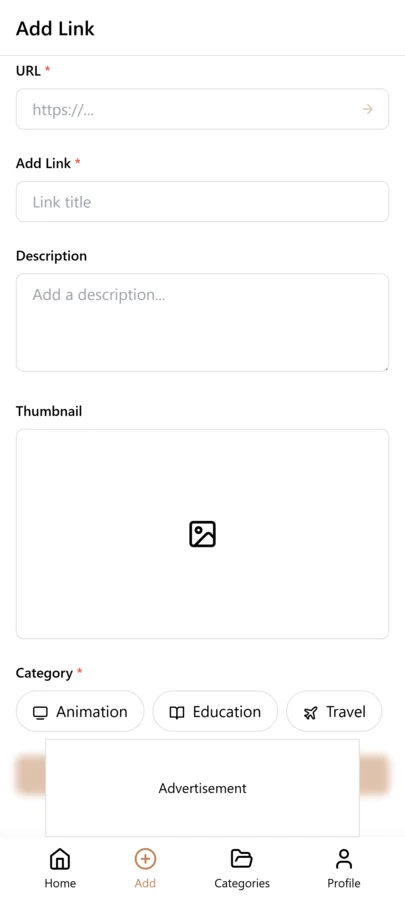
- Create your seven or fewer category names in LinkVault — match them to your business functions, not to abstract information categories
- Open your browser history and bookmark folders: go through the last thirty days and save every tool, portal, and dashboard URL you accessed into the appropriate category
- Check every app icon on your phone and desktop: for each business tool, save the direct dashboard URL, not the marketing homepage — the URL you actually use to log in and work
- Add notes to every tool link: write one sentence per link explaining what it is and what you use it for — this is essential for team members and future you
- Tag tools by frequency: "daily" for things you open every day, "weekly" for regular use, "quarterly" for period check-ins — this makes your priority tools filterable
- Create a Research sub-structure: use tags for each competitor name and each topic area rather than folders — a link can carry both the company name tag and a topic tag like "pricing" or "growth"
- Share with your team: ensure every team member has access to the shared business tools and can find whatever they need on day one
- Schedule a monthly review: fifteen minutes once a month to add new tools, archive old ones, and update notes on anything that changed — your tool stack evolves and your library should too
Founder-Specific Bookmark Best Practices
These practices come from founders who manage large, complex tool stacks and reference libraries. The common thread is treating the bookmark system as a living business asset — something that grows and evolves with the company rather than a static folder structure that quickly becomes outdated.
- Always save the dashboard URL, not the homepage: "stripe.com/dashboard/acme" is useful; "stripe.com" is not — the direct portal URL saves you three clicks every time
- Note account owner and plan tier: a one-line note with "Billing: john@company.com | Pro plan | Renews March" is invaluable when you need to update payment details or upgrade
- Tag tools by who uses them: "founder-only", "engineering", "marketing", "all-team" — this makes it easy to share the right subset of tools with each new hire
- Organize competitor research by company name: one tag per competitor means all their product pages, pricing pages, job postings, and news articles are filterable in one tap
- Save investor research comprehensively: when you research a potential investor, save their firm page, their portfolio, their thesis writing, and their Twitter — tag all with the investor name
- Keep a "to evaluate" tag for tools you are considering: when a tool crosses your radar but you are not ready to try it, save it with a "to-evaluate" tag and revisit during your monthly review
- Create a board meeting prep category: before each board meeting, tag all relevant data sources, decks, and reference materials so you can find them quickly under pressure
- Save the pricing page of every competitor you monitor: competitor pricing changes frequently and you will want to track it — a saved and annotated pricing page is your baseline reference
Tagging System for Business Links
A founder's bookmark library lives or dies by its tagging system. Categories give you broad buckets — Fundraising, Tools, Competitors, Learning — but tags give you the cross-cutting filters that make the library searchable from multiple angles. For a founder bookmark system, three tag categories are essential. Function tags describe what the link is for: sales, marketing, engineering, hiring, legal, finance. Stage tags describe where in the company lifecycle the link is relevant: pre-seed, seed, growth, scale. Priority tags describe how urgently you need to act on it: to-evaluate, active, reference, archive.
The function tags are the most valuable because they let you filter by business discipline regardless of which category the link lives in. When your head of marketing asks for resources, you filter by the marketing tag and instantly surface every relevant link across all categories — competitive analysis, tool reviews, playbooks, articles. The stage tags prevent you from drowning in growth-stage content when you are still in the pre-seed phase. Filter by your current stage and you see only what is relevant now. The priority tags create a natural workflow: to-evaluate items get reviewed during your monthly tool-stack audit, active items are the ones you reference weekly, and reference items are the background knowledge you consult occasionally. Together, these three tag dimensions turn a flat list of business links into a navigable command center that adapts as your company evolves.
Monthly Tool-Stack Review for Founders
A founder's tool stack changes constantly. New tools get adopted, old ones get replaced, pricing tiers shift as the company grows, and free plans expire. Without a monthly review, your bookmark library fills with stale tool links that no longer reflect your actual stack. The monthly tool-stack review takes thirty minutes and follows a structured process. Filter by your tools category and sort by date saved. For each tool link, ask three questions: Are we still using this tool? Has the pricing or feature set changed since I last saved this? Is there a new alternative worth evaluating?
For tools you are still using, update the note with the current pricing tier and renewal date. For tools you have stopped using, move the link to an archive category or delete it — keeping stale tool links in your active library makes it harder to find the tools you actually use. For tools where a new alternative exists, save the alternative with a to-evaluate tag and schedule a trial. The monthly review also catches redundant tools — two tools that serve the same purpose, where consolidating to one would save money and reduce complexity. This review is not just about bookmark hygiene — it is a structured way to audit your operational expenses and ensure your tool stack is optimized for your current stage, not the stage you were at six months ago when you first saved the link.
Sharing Bookmarks with Co-Founders and Team
A founder bookmark system is most valuable when it becomes a shared resource for the entire team. Co-founders need access to the same competitive intelligence, tool evaluations, and investor research. Team members benefit from the curated learning resources and process documentation. LinkVault makes sharing straightforward — tag links with your project or team name, and anyone in a shared workspace can search and find them. The key is to establish sharing conventions early so the library does not become a personal artifact that dies when you leave or hand off responsibilities.
Create shared tags for team-wide resources: team-marketing, team-engineering, team-all-hands. When you save a link that the team should see, apply the relevant shared tag in addition to your personal tags. For co-founder-specific resources like investor research or strategic plans, use a co-founder tag so those links are findable by your partner but not mixed into the general team library. During your weekly one-on-one with co-founders, spend five minutes reviewing newly saved links in the shared library — this ensures both of you are aware of what the other has been researching and prevents duplicate work. As the team grows, designate one person per department as the librarian responsible for maintaining that department's tagged links. This distributed ownership model keeps the shared library curated without putting the entire burden on the founder.
Tracking Competitor Changes Over Time
Competitor monitoring is not a one-time activity — competitors change their pricing, launch new features, update their messaging, and shift their positioning constantly. A bookmark system that captures competitor links once and never updates them is useless for ongoing intelligence. The key is to save competitor links with date-stamped notes so you can track changes over time. Every time you visit a competitor's pricing page, save it with a note like "2026-03-15: Pro tier at $49/mo, up from $39/mo last quarter." Over time, these dated notes become a longitudinal record of competitor evolution.
Create a competitor category with sub-tags for each competitor you track. For each competitor, save their homepage, pricing page, feature pages, blog, and key landing pages. Re-visit these pages monthly and update the notes with any changes. When a competitor launches a new feature, save the announcement page or press release with a date-stamped note. When they change pricing, update the pricing link note with the new numbers. This approach turns your bookmark library into a competitive intelligence database that compounds in value over time. When you need to brief your team on competitive landscape, you filter by the competitor tag and instantly have a chronological record of every change you have tracked — far more useful than a static spreadsheet that someone updates twice a year.
Common Founder Bookmarking Mistakes and How to Fix Them
Founders face unique bookmarking challenges because the volume and diversity of business links is higher than for any other user type. The mistakes below are the ones that most frequently derail a founder bookmark system, and each fix is a small process change that keeps the library aligned with business priorities. Review this list during your monthly tool-stack audit.
- Saving every tool you encounter: A founder sees dozens of tools per week. Save only the ones you are actively evaluating or plan to evaluate within thirty days — the rest is noise.
- Not tagging by business function: A flat list of two hundred business links is unsearchable. Always tag with the business function — sales, marketing, engineering — so you can filter by discipline.
- Never archiving completed fundraising research: Fundraising links from a round you closed six months ago clutter your active library. Move them to an archive category once the round is done.
- Keeping personal and business links in the same category: Use separate categories for personal and business links so your team-sharing tags do not surface your personal reading list.
- Failing to update competitor links regularly: A competitor pricing page saved twelve months ago is stale intelligence. Re-visit competitor pages monthly and update notes with changes.
Scaling the System as Your Company Grows
A bookmark system that works for a solo founder does not automatically scale to a team of twenty or fifty. As the company grows, the volume of links increases, the diversity of topics expands, and the need for shared access becomes critical. The scaling strategy has three phases. In the solo phase, everything lives in your personal LinkVault with personal tags. In the co-founder phase, you add shared tags for the two or three of you and begin curating a shared library alongside personal links. In the team phase, you transition to a shared workspace where department-specific tags are maintained by department leads.
The most important scaling decision is when to split personal and business links into separate workspaces. As a general rule, once you have employees who are not co-founders, your business links should live in a shared workspace that persists independent of your personal account. This ensures that if you leave, take a sabbatical, or transition roles, the team's knowledge base remains intact. For the shared workspace, establish clear ownership: each department owns their tagged links, and a designated librarian — often an operations or chief of staff role — maintains cross-cutting tags and does periodic quality audits. The goal is a system where any new employee can search the shared library and instantly find the tools, processes, competitive intelligence, and learning resources the team has accumulated — without having to ask someone to forward an email or share a folder.
Frequently Asked Questions
How do I organize tools I use every day versus ones I only use occasionally?
Tag by frequency — "daily", "weekly", "monthly", "quarterly" — and filter by that tag when you want to see only your most-used tools. Your daily tools become a short focused list of everything you need to touch today, separated from the longer tail of occasional tools. For the most-used tools, add them to a "Pinned" or "Quick Access" category so they are always visible at the top of your library without any filtering needed.
How should I track competitors — one category per company or one big Research category?
Use one category called Research with tags for each competitor name. This approach gives you two filterable axes simultaneously: you can filter by competitor name to see everything about a specific company, or filter by topic tag (like "pricing" or "hiring") to see that topic across all competitors. Separate categories per competitor become unwieldy once you track more than four or five companies, and the category list starts to feel cluttered. Tags scale better as your research library grows.
Should I share my business tool bookmarks with my team?
Yes — and it is one of the highest-leverage things you can do for team productivity. When every team member can find every business tool without asking anyone, you eliminate the constant "what is the URL for X?" interruptions that fragment everyone's focus. Create a shared library of all business tools with notes explaining what each one is and who on the team uses it. Keep sensitive financial portals and confidential resources in your personal bookmarks, but make everything else shared by default.
How do I keep my bookmark library current as my tool stack changes?
Schedule a fifteen-minute monthly review. Once a month, go through your saved tools and do three things: delete any tool you have stopped using, update the notes on any tool where your use case has changed, and add any new tools you have adopted since last month. Fifteen minutes is enough to keep a library of a hundred or more tools current without the system ever feeling stale. The monthly cadence also gives you a natural moment to reflect on your tool stack — whether you are paying for things you do not use or missing tools that would help.
Can I use this system for fundraising research and investor tracking?
Yes — and it is one of the best applications for a founder bookmark system. Create a Fundraising category and use tags for each investor firm you are researching. For each firm, save: the firm homepage, the partner profile pages for partners you want to meet, their portfolio page, any thesis or investment philosophy writing they have published, and their contact or pitch submission page. Tag all of these with the firm name so filtering by that tag gives you a complete intelligence file on that investor. When you get a meeting, you can pull up everything you have saved in ten seconds.
How do I transition from a personal bookmark system to a shared team library as my company grows?
The transition should happen in three phases. First, while solo, keep everything in your personal LinkVault with personal tags but start using business-function tags like marketing and engineering so the taxonomy is ready for sharing. Second, when you bring on co-founders or early hires, add shared tags like team-all or team-marketing to links they should see, and spend five minutes during weekly one-on-ones reviewing newly saved shared links. Third, once you have five or more employees, create a separate shared workspace for business links and migrate tagged business content into it. Designate one person per department as the librarian for their team tags. Keep your personal reading and learning links in your private workspace — not everything a founder saves belongs in the company library. The key is to make the transition before the personal library becomes so large that migration is painful, and to establish clear ownership so the shared library does not become an unmanaged dump.
What is the most efficient way to track competitor pricing and feature changes over time using bookmarks?
Create a Competitors category with a tag for each competitor name. For each competitor, save their pricing page, features page, homepage, and blog. The critical step is to re-visit these saved links monthly and update the note field with date-stamped observations — for example, "2026-03-15: Pro tier raised to $49/mo from $39/mo, added AI feature to Enterprise plan." These dated notes create a longitudinal record that shows how the competitor has evolved. When a competitor publishes a significant update, save the announcement or blog post with the date and a summary note. Over six months, you will have a timeline of competitor changes that is far more valuable than a static competitive matrix. During strategy meetings, filter by the competitor tag and walk through the dated notes to brief your team on what has changed and what it means for your positioning.