Best Bookmark App for Exam Students (2026 Guide)
Written by LinkVault Team
Exam season is a pressure cooker. Between lecture recordings, past papers, tutorial videos, and forum threads, the sheer volume of study material you need to track can become overwhelming in a matter of days. If you have ever stared at a browser with forty-seven open tabs and still could not find the one tutorial that explained a concept clearly, you already know the pain. This guide walks through how LinkVault transforms chaotic study links into a structured, priority-driven revision system that saves time and reduces stress when it matters most.
Four Exam Stress Scenarios Every Student Knows
Before diving into the solution, let us name the problems. Exam preparation rarely fails because you lack motivation or ability. It fails because your study materials are disorganized, inaccessible, and impossible to prioritize.
The Pain Points That Derail Your Study Sessions
Each of these pain points compounds the others. A scattered link collection makes retrieval slow. Slow retrieval leads to more open tabs. More tabs make prioritization impossible. The cycle feeds itself until exam night arrives and you are frantically searching instead of studying.
- Too many tabs open during study sessions — your browser becomes a graveyard of half-read articles, paused videos, and forgotten PDFs, consuming gigabytes of RAM and every ounce of your focus.
- Can not find that key tutorial — the one video that finally made thermodynamics click is buried somewhere between a recipe bookmark and a shopping link from three months ago.
- No priority system for what to revise first — every link looks equally urgent when they are all stuffed into a single folder, so you end up skimming everything and mastering nothing.
- Links scattered across browser bookmarks and notes apps — some saved in Chrome, some in Safari, some pasted into a notes app. No single source of truth exists.
A Glimpse at the Solution
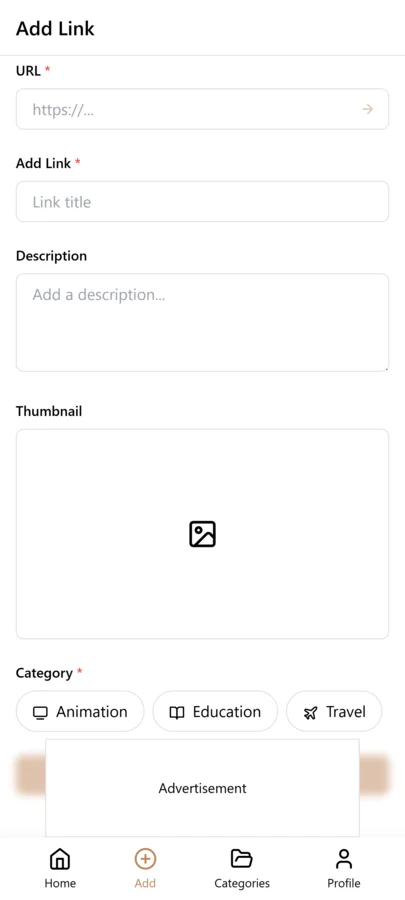
The image below shows what organized exam preparation looks like inside LinkVault. Notice how priority tags and revision schedule notes sit directly alongside each saved link, turning a flat list of URLs into a study command center.
How LinkVault Turns Chaos Into a Study System
LinkVault was built with one core principle: every saved link should be findable, prioritizable, and annotated within seconds. For exam students, that means no more tab graveyards, no more lost tutorials, and no more guessing what to revise next. The linkvault platform replaces your fragmented bookmark collection with a single, searchable vault that adapts to how you actually study.
Priority Tagging: Urgent, Important, and Backlog
The heart of LinkVault for students is its three-tier priority tagging system. Instead of dumping every link into one folder, you assign each saved resource a clear priority level the moment you save it.
- Tag a link as Urgent for material you must revise before the next exam or deadline — think core lecture notes, required past papers, and concepts you still struggle with.
- Tag a link as Important for material that strengthens your understanding but is not immediately critical — supplementary readings, explanatory articles, and second-explanation tutorials.
- Tag a link as Backlog for material worth revisiting after exams — interesting tangents, advanced topics, and resources for future courses.
Revision Schedule Notes Built Into Every Link
Saving a link is only half the battle. The other half is remembering why you saved it and when you need to revisit it. LinkVault lets you attach revision schedule notes directly to each bookmark. Jot down a due date, a reminder to rewatch a video in three days, or a note that says review before midterm, still confused on chapter seven. When you return to your linkvault days later, the context is right there. You never waste time retracing your own steps or rereading an article to figure out why it mattered. These notes transform a passive link collection into an active revision plan that tells you exactly what to study and when.
Quick Retrieval When the Clock Is Ticking
During a late-night study session, every second spent searching is a second stolen from learning. LinkVault search and filter tools let you pull up any saved resource in seconds. Search by keyword, filter by priority tag, or browse by subject category to instantly surface the exact tutorial, paper, or forum thread you need. The linkvault interface was designed for speed, so retrieval feels effortless even when your brain is fried from hours of revision.
Separating Subjects by Category
Exams rarely come one subject at a time. You might be juggling calculus, organic chemistry, and history in the same week. LinkVault solves this with category-based organization. Create a category for each subject, then file every relevant link under it. Within each category, priority tags still apply, so you can see at a glance which chemistry links are urgent and which are backlog. This dual-layer organization — category first, priority second — mirrors how exams actually work and keeps every subject neatly compartmentalized.
Old Approach vs LinkVault: A Side-by-Side
The difference becomes stark when you place traditional bookmark habits next to a LinkVault workflow.
| Scenario | Browser Bookmarks Only | LinkVault |
|---|---|---|
| Too many open tabs | Tabs stay open out of fear of losing them | Save and close confidently; retrieve instantly later |
| Finding a key tutorial | Scroll through hundreds of unsorted links | Search by keyword or filter by priority tag |
| Knowing what to revise first | Every link looks equally urgent | Urgent, Important, and Backlog tags guide you |
| Links scattered everywhere | Spread across browsers and notes apps | One unified vault with subject categories |
Building a Revision Calendar Around Your Priority Tags
Priority tags tell you what matters most, but a revision calendar tells you when to act on it. The students who perform best during exam season are not the ones with the most study material — they are the ones who map that material onto a schedule and stick to it. LinkVault makes this straightforward by letting you embed revision dates directly into the notes field of every saved link. Start by listing every exam with its date and working backward to determine how many revision days you have. If your organic chemistry exam is in ten days and you have eighteen urgent-tagged links, you know you need to cover roughly two urgent resources per day to get through them all. Write that target date into each link note: review by Day 3, review by Day 6, and so on.
The calendar approach works best when you sequence your revision logically rather than chronologically. Group your urgent links by topic within each subject category, and schedule related topics on consecutive days so your brain builds on prior sessions. For example, schedule all thermodynamics links on Monday and Tuesday, then all kinetics links on Wednesday and Thursday, rather than jumping randomly between topics. Use the important tag for spaced repetition — schedule an important-tagged review of a topic two or three days after your initial urgent review to reinforce retention. By the end of your revision period, every link in your vault has a scheduled review date, and you can filter each day by that date to see exactly what is on your study plate. This transforms a passive link collection into an active, date-driven study plan that removes decision fatigue and ensures nothing falls through the cracks during the most critical weeks of the semester.
Managing Multiple Exams in the Same Week
When two or three exams land in the same week, the stakes for link organization get dramatically higher. You no longer have the luxury of studying one subject at a time — you need to switch contexts rapidly without losing track of where you left off in each subject. The key to surviving a stacked exam week is using LinkVault subject categories as hard boundaries that prevent context bleed. Each subject category becomes a self-contained study environment with its own priority tags and revision notes. When you open your Calculus category, you see only calculus links, tagged by priority, with notes telling you exactly what to review. When you switch to your History category, the calculus material disappears entirely, and you are presented with a fresh, focused view of history resources. This separation is something browser bookmarks simply cannot provide.
A practical strategy for stacked exam weeks is to alternate subjects by day or by half-day. Monday morning is calculus, Monday afternoon is history, Tuesday morning is organic chemistry, and so on. Within each block, filter your subject category by the urgent tag first and work through those links. If you finish the urgent set, move to the important tag for that subject. At the end of each block, update your notes on the links you reviewed — mark which concepts you feel confident about and which ones still need work. This running log inside each link note becomes invaluable when you return to that subject two days later; you pick up exactly where you left off instead of re-reading everything. For the final two days before the exams, filter across all categories by the urgent tag and do a rapid cross-subject review of only the most critical resources. This ensures every subject gets a final pass without spending equal time on material you already know well.
Common Exam-Prep Bookmarking Mistakes and How to Fix Them
Even students who adopt LinkVault can sabotage their exam preparation by falling into familiar organizational traps. These mistakes tend to compound as exam week approaches, turning a system that should reduce stress into one that creates it. Below are the most common exam-prep bookmarking mistakes, each paired with a concrete fix you can apply immediately to keep your revision system tight and effective when it matters most.
- Saving every link as urgent: When everything is urgent, nothing is. Students often panic-tag dozens of links as urgent during the first week of exam prep, making the urgent filter useless. Fix this by applying a strict test: a link is urgent only if it covers material you do not yet understand and that is likely to appear on the exam. Everything else defaults to important.
- Never updating priority tags after first review: A link tagged urgent on day one might be fully mastered by day five, but if the tag stays urgent, it keeps appearing in your critical review filter. Fix this by downgrading mastered material to important or backlog after each review session, so your urgent filter always reflects what actually still needs work.
- Saving links without subject categories: Dumping every link into a single uncategorized list defeats the subject-boundary separation that makes LinkVault effective for multi-exam weeks. Fix this by assigning a subject category at save time, every time, with no exceptions. If a link spans two subjects, save it in the subject where it is most relevant and cross-reference it in the note.
- Ignoring revision notes after saving them: Writing a note like review before midterm, chapter seven is useless if you never go back and read it. Fix this by making your notes actionable and date-specific — review by Nov 15, still confused on titration calculations — and then actually filtering by those dates as the exam approaches.
- Hoarding backlog links during exam season: The backlog tag is for post-exam material, but students often spend valuable study time reading backlog links out of curiosity or procrastination. Fix this by hiding the backlog tag from your active study view during exam weeks. Focus exclusively on urgent and important links until exams are over.
- Failing to do a final consolidated review: Many students review within subject categories but never do a cross-subject sweep of their most critical material. Fix this by filtering all categories by the urgent tag two days before each exam and doing a rapid final pass, ensuring no high-priority link has been missed.
Frequently Asked Questions
Is LinkVault free for students?
LinkVault offers a free tier that includes priority tagging, revision schedule notes, and category-based organization — the core features covered in this guide. Students can organize their entire exam preparation workflow without upgrading. Visit the linkvault pricing page for details on premium features.
Can I import my existing browser bookmarks into LinkVault?
Yes. LinkVault supports one-click import from Chrome, Firefox, Safari, and Edge. Once imported, you can batch-assign priority tags and categories to quickly migrate your scattered collection into a structured vault without starting from scratch.
Does LinkVault work offline during study sessions?
LinkVault caches your vault locally, so you can browse, search, and view your saved links and revision notes even without an internet connection. This is especially useful during library study sessions or in locations where Wi-Fi is unreliable.
How do I handle exams that are scheduled in the same week?
Create a separate subject category for each exam and treat each as a self-contained study environment. Alternate subjects by day or half-day, filtering by the urgent tag within each category. Update your link notes after every study block so you know exactly where you left off, and do a cross-subject sweep of all urgent-tagged links two days before the exams begin.
Should I downgrade a link priority tag after I have reviewed the material?
Yes, absolutely. If you have mastered the material behind an urgent-tagged link, downgrade it to important or backlog so your urgent filter always reflects what still needs work. Keeping mastered material tagged as urgent clutters your most critical filter and makes it harder to see what genuinely needs your attention.
What is the best way to schedule revision dates across multiple subjects?
List every exam date and work backward to determine how many revision days you have per subject. Write a target review date into each link note, grouping related topics on consecutive days for each subject. Use the important tag for spaced repetition two or three days after your initial urgent review. Each day, filter your links by that date to see exactly what is on your study plate.