Best Bookmark App for Students: A Semester-Long Case Study
Written by LinkVault Team
Meet Alex, a third-year computer science major juggling five courses, two group projects, and a part-time campus job. At the start of the spring semester, Alex browser bookmark bar was a graveyard of vaguely labeled folders — stuff for later, read me, that one paper. Links duplicated across devices, research sources vanished into the scroll, and finding a specific lecture recording meant retracing ten browser tabs. This case study follows Alex through a full sixteen-week semester using LinkVault as a dedicated bookmark manager for students. The goal was simple: turn a semester worth of scattered links into an organized, searchable, and reusable knowledge base. Week by week, we tracked how linkvault changed Alex study workflow — from the first day of classes through final exams and the end-of-semester archive.
Week 1: Setting Up the Semester Vault
Every good system starts with structure, and Alex knew that dumping every link into one pile would recreate the chaos of semesters past. On the first day of classes, Alex sat down with five course syllabi and opened linkvault to build a foundation. The strategy was straightforward: create one top-level category per course, each matching the official course code. Within twenty minutes, Alex had five categories set up, each with a short description pulled directly from the syllabus. The beauty of starting in LinkVault this early is that the structure scales. A category created in week one can hold hundreds of links by week twelve without becoming unwieldy.
- CS 301 — Algorithms: the core theory course, heavy on lecture links and textbook chapters
- CS 340 — Databases: project-driven, with links to documentation, tutorials, and datasets
- MATH 220 — Discrete Math: proof-heavy, with links to supplementary video lectures
- ENG 110 — Technical Writing: writing guides, citation tools, and assignment rubrics
- PSYCH 200 — Cognitive Psychology: research papers and lecture slide decks
The Semester Vault at a Glance
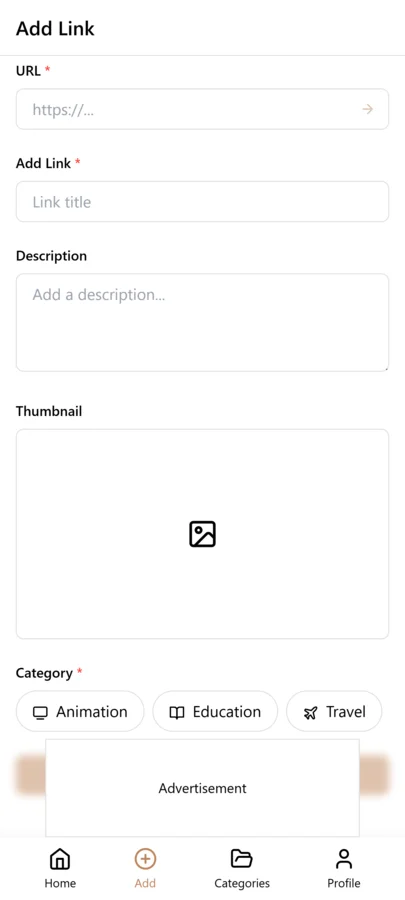
By the end of week one, Alex LinkVault workspace already looked like a command center. Here is a snapshot of what that organization looks like once the course categories and initial tags are in place.
Mid-Semester: Lectures, Research Papers, and Group Projects
By week six, the volume of links had multiplied. Alex was saving lecture recordings after every class, bookmarking research papers for a literature review, and collecting documentation for the CS 340 database project. This is where most students lose control — but linkvault handled the surge. For lecture links, Alex used a simple tag convention: lecture plus the week number, so searching CS301-week06 pulled up exactly the right recording in seconds. The real stress test came with the group project. Three teammates were emailing links back and forth, pasting URLs into a shared doc that nobody updated. Alex created a dedicated category in LinkVault for the project and tagged every shared resource with group and the teammate name.
- Tag lectures with the course code and week number for instant recall
- Tag research papers with a topic keyword to search across all courses at once
- Create a dedicated project category and tag shared links by teammate name
- Use the search bar to find any link in under five seconds, even weeks later
Exam Prep: Priority Tagging and Revision Schedules
When week twelve arrived, the focus shifted from collecting to reviewing. Alex had over three hundred links saved across the semester, and not all of them mattered equally for exams. LinkVault tagging system became a triage tool. Alex added priority tags — high, medium, and low — to every link in the CS 301 and MATH 220 categories.
- Step 1: Open each course category and tag every link with high, medium, or low priority based on review-session emphasis
- Step 2: Filter the CS 301 category by the high-priority tag to surface only the links that matter most for the exam
- Step 3: Create new tags called review-day-1 through review-day-4 and assign links to each day of the study plan
- Step 4: Each study day, search the corresponding review-day tag and work through only those saved links
How LinkVault Performed Across the Semester
Over sixteen weeks, we tracked the metrics that mattered most. Here is how the vault grew and where linkvault delivered the biggest time savings compared to a traditional browser bookmark bar.
| Semester Stage | Links Saved | Categories Used | Key Tags | Time Saved vs Browser |
|---|---|---|---|---|
| Week 1 (Setup) | 12 | 6 | course-codes | ~30 min setup |
| Week 6 (Mid-Semester) | 148 | 6 | lecture, paper, group | ~2 hours recovered |
| Week 12 (Exam Prep) | 312 | 6 | high, medium, low, review-day | ~4 hours recovered |
| Week 16 (Finals + Archive) | 341 | 6 | archive, keep | ~6 hours total |
End of Semester: Archiving and Reflecting
After the last final exam, Alex faced the question every student ignores: what happens to three hundred and forty-one links now? With a traditional browser bookmark bar, the answer is nothing — they sit there forever, cluttering the interface and making next semester harder. LinkVault offered a cleaner path. Alex tagged every link in the completed courses with archive and moved those categories into an archived state, keeping the workspace clean for the summer term. But archiving did not mean deleting. A handful of links earned a keep tag — reference material that would be useful in future courses, like a particularly clear explanation of Big-O notation. These were promoted to a permanent reference category that would survive across semesters. Looking back, Alex estimated that linkvault saved roughly six hours over the semester that would have been lost to searching, re-finding, and re-organizing links.
Building a Tagging System That Survives the Whole Semester
The difference between a tagging system that holds up in week fifteen and one that collapses by week six comes down to discipline and simplicity. Alex learned this the hard way during a previous semester when tags multiplied out of control — by midterms there were tags for every individual lecture, every assignment, and every reading, making the tag list itself harder to navigate than the links. This semester, Alex committed to a lean tagging framework with just three layers. The first layer was course-code tags (CS301, CS340, MATH220) that matched the category structure. The second layer was resource-type tags (lecture, paper, doc, video, forum) that described what kind of content the link contained. The third layer was workflow tags (todo, review, done, keep) that tracked the status of each resource in the study process. Three layers, no more, and every link got exactly one tag from each layer.
The power of this constrained system is that filtering becomes second nature. When Alex needed to find every video lecture for CS 301, the search was simply the CS301 tag combined with the video tag. When exam prep demanded a review of unfinished readings, filtering by the todo tag across all courses surfaced every outstanding resource in one list. Because the tag vocabulary was small and fixed, Alex never hesitated when saving a link — there was no decision paralysis about which tag to use, and no temptation to invent a new one-off tag that would never be used again. By week twelve, the system had absorbed over three hundred links without breaking down, proving that a simple, well-enforced tagging convention scales far better than an elaborate schema that nobody follows consistently. The lesson for any student starting a new semester is to define your three layers on day one, write them in a note pinned to your dashboard, and resist the urge to add new tags unless a genuine gap appears that no existing tag can fill.
Using LinkVault for Group Projects Without the Chaos
Group projects are where most students link management falls apart. Three or four teammates each save links in their own browsers, share them in scattered emails or chat messages, and by the time the project is due nobody can find the original source for a critical reference. LinkVault solves this with shared categories that every team member can access and contribute to. The key is setting up the shared space early and agreeing on conventions before the links start flowing. Here is the framework Alex team used for their CS 340 database project, which kept four contributors organized from kickoff through final presentation.
- Create a shared category at project kickoff: One teammate creates the project category in LinkVault and invites the others as collaborators. This shared space becomes the single source of truth for every project-related link, replacing the email-and-chat free-for-all.
- Agree on a naming convention for link titles: Every saved link starts with the contributor initials and a brief descriptor — for example, AT-schema-design-tutorial. This makes it instantly clear who saved the link and what it covers when browsing the shared category.
- Use a small set of shared tags: The team agreed on four tags — research for background material, draft for work-in-progress resources, final for approved deliverables, and reference for ongoing documentation. Everyone uses the same four tags, so filtering works consistently across the entire shared category.
- Add notes to every shared link: When a teammate saves a link, they include a one-sentence note explaining why it is relevant to the project. This eliminates the common problem of finding a link in the shared category and having no idea why it was saved or who added it.
- Review the shared category in weekly standups: During each team meeting, spend five minutes scanning the shared category together. Remove duplicates, update tags from draft to final, and identify gaps where more research links are needed. This keeps the shared space curated rather than a dumping ground.
- Export the shared category at project close: When the project wraps up, export the full category as a clean reference document. Each teammate gets a copy, and the shared category can be archived, preserving the full link history for portfolio or grading purposes.
Lessons for Next Semester: What Alex Would Do Differently
After sixteen weeks of using LinkVault, Alex sat down during the post-exam decompression to reflect on what worked, what did not, and what would change next semester. The biggest realization was that the initial setup in week one, while solid, could have been even more forward-looking. Alex created five course categories right away, but did not create a catch-all category for cross-cutting resources — links that did not belong to any single course but were useful across multiple classes, like a universal citation guide or a general-purpose debugging tutorial. Next semester, Alex plans to add a cross-cutting reference category from day one, so those links have a home instead of being awkwardly filed into whichever course category was open at the time.
The second lesson was about weekly maintenance. Throughout the semester, Alex let links accumulate without periodic cleanup, and by week eight there were duplicates, mistagged items, and links saved with no notes at all. A fifteen-minute review session every Friday — scanning recent saves, adding missing tags, writing notes for links that had none, and removing duplicates — would have kept the vault pristine with minimal effort. Alex intends to make this a recurring calendar event next semester, treating it with the same priority as attending lectures. The third lesson was about the keep tag. Alex used it too liberally, tagging nearly forty links as keep-worthy by the end of the semester. When it came time to promote keep-tagged links into the permanent reference category, the volume was overwhelming and most of those links were never actually revisited. Next semester, Alex will apply a stricter test: a link only earns the keep tag if it is likely to be referenced in a specific future course, not just because it seems generally interesting. These three adjustments — a cross-cutting category, weekly maintenance, and a stricter keep filter — would make an already effective system even more powerful in the semesters ahead.
Frequently Asked Questions
Is LinkVault free for students?
Yes. linkvault offers a free plan that supports unlimited bookmarks and categories, which is more than enough for a single semester. Students can upgrade for advanced features like shared vaults for group projects, but the free tier covers the entire workflow described in this case study.
Can I access my bookmarks across devices during the semester?
Absolutely. LinkVault syncs automatically across desktop, tablet, and mobile, so links saved on a library computer are available on a laptop at home and a phone on the bus.
What happens to my links after the semester ends?
Nothing is lost. You can archive completed course categories to keep your workspace clean, promote useful links to a permanent reference category, and restore archived links at any time. linkvault keeps your full history so past semesters remain searchable.
How is LinkVault different from browser bookmarks for students?
Browser bookmarks live in a single flat hierarchy and do not sync reliably across devices. LinkVault adds tags, cross-category search, priority labels, and archiving — features that turn a pile of links into a searchable knowledge base that scales across a full semester.
Can multiple teammates share a LinkVault category for a group project?
Yes. LinkVault supports shared categories where you can invite teammates as collaborators. Everyone in the shared category can save, tag, and view links, making it a single source of truth for group project resources. You can set up naming conventions and shared tags so the space stays organized across all contributors.
How often should I clean up my bookmarks during the semester?
A weekly fifteen-minute review session is ideal. Scan your recently saved links, add any missing tags or notes, remove duplicates, and archive links you no longer need. This keeps your vault searchable and prevents the clutter that builds up when links accumulate without maintenance. Treat it like a recurring calendar event so it becomes a habit rather than an afterthought.