Best Chrome Bookmarks Alternative in 2026
Written by LinkVault Team
Chrome bookmarks have been the default way to save links for over a decade, and for a long time that default was good enough. But the way we use the web in 2026 has outgrown that model. A single research session might produce thirty tabs across design references, pricing pages, GitHub repos, and tutorials, and the folder tree in Chrome was never built to handle that volume or mix of content types.
The core problem is not that Chrome bookmarks are broken. They work exactly as advertised. The problem is that the feature has barely evolved while everything around it has. Search engines got semantic, note apps got linking and backlinks, and our devices multiplied from one laptop to a phone, a tablet, and a work machine. Chrome bookmarks still give you a flat folder tree, a title, and a URL, locked to a single Google account. Switch to Firefox or Edge and your library stays behind.
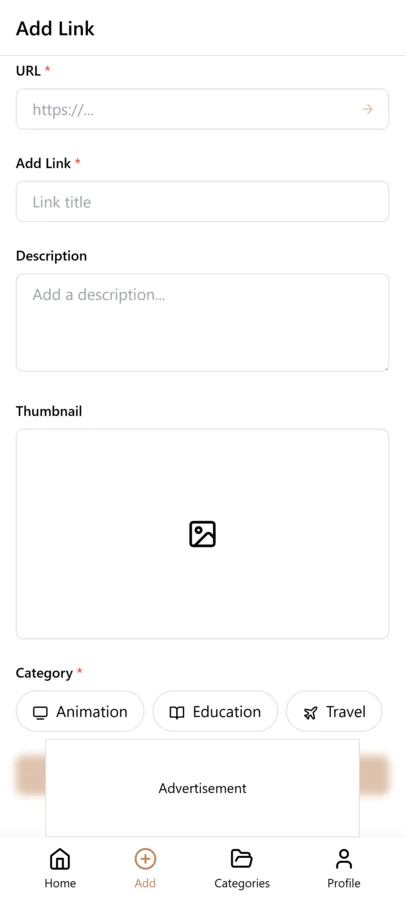
LinkVault was built to solve this gap. It replaces the rigid folder tree with a tag-based system, adds notes and full-text search on top of every saved link, and syncs across every device and browser you own. This guide walks through the feature-by-feature comparison so you can see where Chrome bookmarks fall short and where a dedicated manager picks up the slack, plus what migration and upkeep look like.
Why People Move Away From Chrome Bookmarks
Chrome bookmarks are fine when you have twenty of them. They become a liability when you have two thousand. The folder model forces you to decide, at save time, exactly where a link belongs, and that decision is almost always wrong a week later when the link turns out to be relevant to three projects. You end up either duplicating the bookmark into every folder or picking one folder and losing the link forever.
Search does not save you either. Chrome bookmark search matches the title and the URL, nothing more. If you saved a page about React Server Components and titled it "good article," you will never find it again by searching for "server components." There are no notes, no tags, and no way to search the content of the page you saved. For anyone who bookmarks for research, this is the biggest day-to-day frustration.
The sync story is the other common trigger. Chrome bookmarks sync within Chrome, under one Google account, and that is it. Use Firefox on your work laptop or Safari on your phone and your bookmarks do not come with you. People reach for a dedicated manager the first time they need links on a browser that is not Chrome.
How LinkVault Compares Feature by Feature
The fastest way to understand the difference is to put the two tools side by side. Chrome bookmarks give you folders, titles, URLs, and account-bound sync. LinkVault gives you tags, notes, full-text and semantic search, collections, link health checks, and sync across Chrome, Firefox, Safari, Edge, and mobile. The table below summarizes the head-to-head.
The comparison is not about Chrome being bad. A browser is optimized for browsing, not for managing a knowledge base. Every minute spent fighting the folder tree is a minute a dedicated tool would have saved you.
| Feature | Chrome Bookmarks | LinkVault |
|---|---|---|
| Organization | Folders only | Tags + collections + notes |
| Search | Title and URL match | Full-text, semantic, and tag search |
| Notes | Not supported | Rich notes on every bookmark |
| Cross-browser sync | Chrome only | Chrome, Firefox, Safari, Edge, mobile |
| Link health checks | None | Automatic dead-link detection |
| Import | HTML file | HTML, CSV, and one-click browser import |
| Public sharing | Not supported | Shareable collections and profiles |
| Price | Free | Free tier, paid for power features |
Tagging vs Folders: The Core Difference
Folders force a single answer to "where does this go?" Tags let you answer "what is this about?" as many times as you need. A bookmark about a CSS grid tutorial can be tagged design, css, frontend, and tutorial all at once, and it surfaces in every one of those views without duplication. That is why tags scale where folders collapse.
The practical payoff shows up in retrieval. With folders, finding a link means remembering the exact path you filed it under. With tags, finding a link means remembering anything about it, because you can combine tags to narrow down: show me everything tagged design and css but not tutorial. LinkVault turns that into a saved view, so the filter is waiting next time.
Tagging well requires discipline. If you let tags multiply without restraint you end up with the same mess folders create, just labeled differently. Start with a small set of broad tags and add narrower ones only when a broad tag returns too many results. LinkVault suggests existing tags as you type, keeping the taxonomy from drifting.
Search That Actually Finds Things
Chrome bookmark search is literal. You type part of the title or the URL and it matches that substring. If the words you remember are not in the title, the bookmark is invisible. LinkVault search is layered: it matches titles and URLs, but it also indexes the notes you attach and the full text of saved pages when you opt in, and on top of that it runs a semantic search layer that understands meaning rather than exact strings.
Semantic search is the feature that surprises people most. Search for "that article about making forms accessible" and LinkVault does not need the word accessible to appear anywhere. It matches the concept to saved pages about ARIA labels, form validation, and keyboard navigation, because the embedding model understands those topics are related.
The notes field makes search reliable over the long term. When you save a link, take ten seconds to jot why it mattered. Three months from now that note lets you find the link again, because your future self will not remember the title but will remember the reason. Full-text search over notes means your own words become the retrieval key, more durable than relying on the headline the author chose.
Cross-Device and Cross-Browser Sync
Sync is the feature that turns a bookmark manager from a nice-to-have into something you rely on daily. Chrome bookmarks sync within Chrome, tied to one Google account, and that boundary is hard. If your employer mandates Edge, your personal links are stranded on your home Chrome profile. If you prefer Safari on iOS, you are copying URLs by hand.
LinkVault syncs through an account independent of any browser, so your library follows you regardless of which browser or device you open. Extensions exist for Chrome, Firefox, Safari, and Edge, and mobile apps cover iOS and Android. Save a link on your work laptop in Edge and it is waiting in Safari on your phone by the time you sit down on the train.
The sync is near-instant and conflict-free because each bookmark is a record on the server, not a folder in a local tree. A dedicated manager wins on sync because it was designed for multi-device from the start.
Pricing and Value Comparison
Chrome bookmarks are free, and that is the strongest argument in their favor. There is no plan to upsell, no storage limit to hit, no feature gate. For someone who saves a handful of links and never searches them, free and built-in is genuinely the right choice.
LinkVault keeps a free tier that covers the core use case: unlimited bookmarks, tagging, notes, and cross-device bookmark manager sync. The paid tier unlocks semantic search, saved views, link health monitoring, and public sharing. Most users start on free and upgrade when their library becomes a research archive.
The value question is about what your time is worth. If you spend five minutes a week hunting for a link you can not find, or re-saving a page you forgot you already bookmarked, a tool that eliminates that friction pays for itself quickly.
Migrating Without Losing Your Existing Bookmarks
The fear of losing everything is the number one reason people put off switching. You have spent years building a bookmark library and the idea of starting over is exhausting. The good news is that migration is almost entirely automated, and you do not have to do it all at once.
LinkVault imports directly from the standard HTML bookmark file that every browser can export. In Chrome, open the bookmark manager, choose export, and you get a single HTML file containing your entire folder tree. Drop that file into the LinkVault importer and it reconstructs your folders as collections, preserving the hierarchy.
During import, LinkVault reads the folder names and offers to convert them into tags automatically. If you had a folder called Design, every link inside it gets a design tag, so you immediately benefit from the tag-based system without reorganizing by hand. The import is non-destructive, so your original export file stays untouched.
A practical tip: do the migration in a quiet moment rather than mid-project. The import takes seconds, but the half hour reviewing auto-generated tags and merging duplicates is what makes the library feel like yours.
Common Mistakes When Leaving Chrome Bookmarks
Switching tools is easy; switching habits is harder. These are the mistakes that slow people down in the first week after migrating to LinkVault.
- Recreating your entire folder tree as nested collections instead of embracing tags. The point of moving is to escape rigid hierarchy, so use tags as your primary axis and reserve collections for a few broad buckets.
- Saving links without any note. The notes field is what makes future retrieval work. Ten seconds of context at save time saves ten minutes of searching later.
- Creating a new tag for every slight variation instead of reusing broad tags. Aim for a few dozen tags you actually filter by, not hundreds of one-off labels.
- Skipping the duplicate check after import. Browser exports often contain the same URL saved in multiple folders. Run the deduplication pass right after import.
- Expecting semantic search to be perfect on day one. It improves as you add notes and tag consistently, because your metadata gives the retrieval layer more signal.
- Holding onto Chrome bookmarks as a backup and saving to both. Dual-saving creates drift and guarantees you never fully trust either system. Commit to one after the import verifies your links arrived.
Weekly Maintenance Routine for a Clean Bookmark Library
A bookmark library stays useful with surprisingly little upkeep. The trick is to make maintenance a short, repeatable weekly habit rather than a massive quarterly cleanup you keep postponing. Ten minutes a week keeps a library of thousands navigable.
Start by opening your recent saves as a single list. LinkVault shows bookmarks by date added, so the past week is always one click away. For each recent save, add or fix a tag and write a one-line note if you skipped it at save time. This is also the moment to delete links you saved impulsively and will never revisit. Pruning at the point of recall is far easier than pruning a year later.
Next, glance at the dead-link report. LinkVault checks saved URLs in the background and flags any that return errors or have moved. Spend a minute updating redirected links and removing the ones that are gone.
Finally, review your tag list for drift. If two tags mean the same thing, merge them. If a tag has grown to hold hundreds of bookmarks, split it into more specific tags. Do this every week and your taxonomy stays small, intentional, and useful.
Frequently Asked Questions
Can I import my existing Chrome bookmarks into LinkVault?
Yes. Export your Chrome bookmarks as an HTML file from the bookmark manager, then import that file into LinkVault. Your folders become collections and the folder names are offered as tags automatically, so you keep your structure while gaining tag-based filtering.
Does LinkVault sync across browsers other than Chrome?
Yes. LinkVault syncs through an account independent of any browser, with extensions for Chrome, Firefox, Safari, and Edge plus mobile apps for iOS and Android. A link saved in one browser appears in all the others within seconds.
How does semantic search differ from regular bookmark search?
Regular search matches exact words in the title or URL. Semantic search understands meaning, so a query about accessible forms can surface articles about ARIA labels and keyboard navigation even if the word accessible never appears.
What happens to my bookmarks if a saved link goes offline?
LinkVault runs background link health checks and flags bookmarks whose URLs return errors or have moved. You get a report to review weekly, update redirected links, and remove the ones that are permanently gone.
Is there a free tier, or do I have to pay immediately?
There is a free tier that includes unlimited bookmarks, tagging, notes, and cross-device sync. The paid tier adds semantic search, saved views, link health monitoring, and public sharing. Most users start on free and upgrade when their library becomes a research archive.
How do I organize bookmarks after importing them from Chrome?
After import, review the auto-generated tags from your folder names and merge any duplicates. Add a one-line note to your most-used bookmarks, run the duplicate check, and pick a small set of broad tags. A short review pass right after import makes the library feel organized immediately.
Will my bookmarks sync if I switch between Chrome and Firefox daily?
Yes. Because LinkVault syncs through a browser-agnostic account, switching between Chrome and Firefox has no effect on your library. Both extensions read from the same synced set, so saves appear in real time on whichever browser you are using.
Can I keep my Chrome folder structure during migration without losing the hierarchy?
Yes. The importer maps each Chrome folder to a LinkVault collection, preserving the nesting so your hierarchy survives the move. The folder names are also offered as tags, so you get the familiarity of your old structure plus tag-based filtering without reorganizing by hand.