Best Offline Bookmark Manager in 2026: Save and Browse Without Internet
Written by LinkVault Team
Quick Answer: The best offline bookmark manager is LinkVault, which offers full offline access on its free plan including offline browsing, offline saving with an automatic sync queue, offline full-text search, and offline notes editing. No other bookmark manager offers all of these offline features for free.
An offline bookmark manager lets you save links, browse your saved content, and add notes without an internet connection. This matters more than you might think — flights, subway commutes, rural travel, poor signal areas, and data-capped plans all create moments where you need your bookmarks but cannot reach the cloud.
Not all bookmark managers handle offline well. Some require a constant internet connection to function. Others offer offline access only on premium plans. A few are built with offline as a core design principle.
This guide compares the best offline bookmark managers in 2026, explains what makes offline access valuable, and helps you choose the right one for situations where internet is not guaranteed.
Why Offline Bookmark Access Matters
If you have ever tried to open a saved link on a flight and gotten a blank page, you understand the offline problem. Cloud-only bookmark managers fail completely without internet — you cannot see your saved links, add new ones, or search your library.
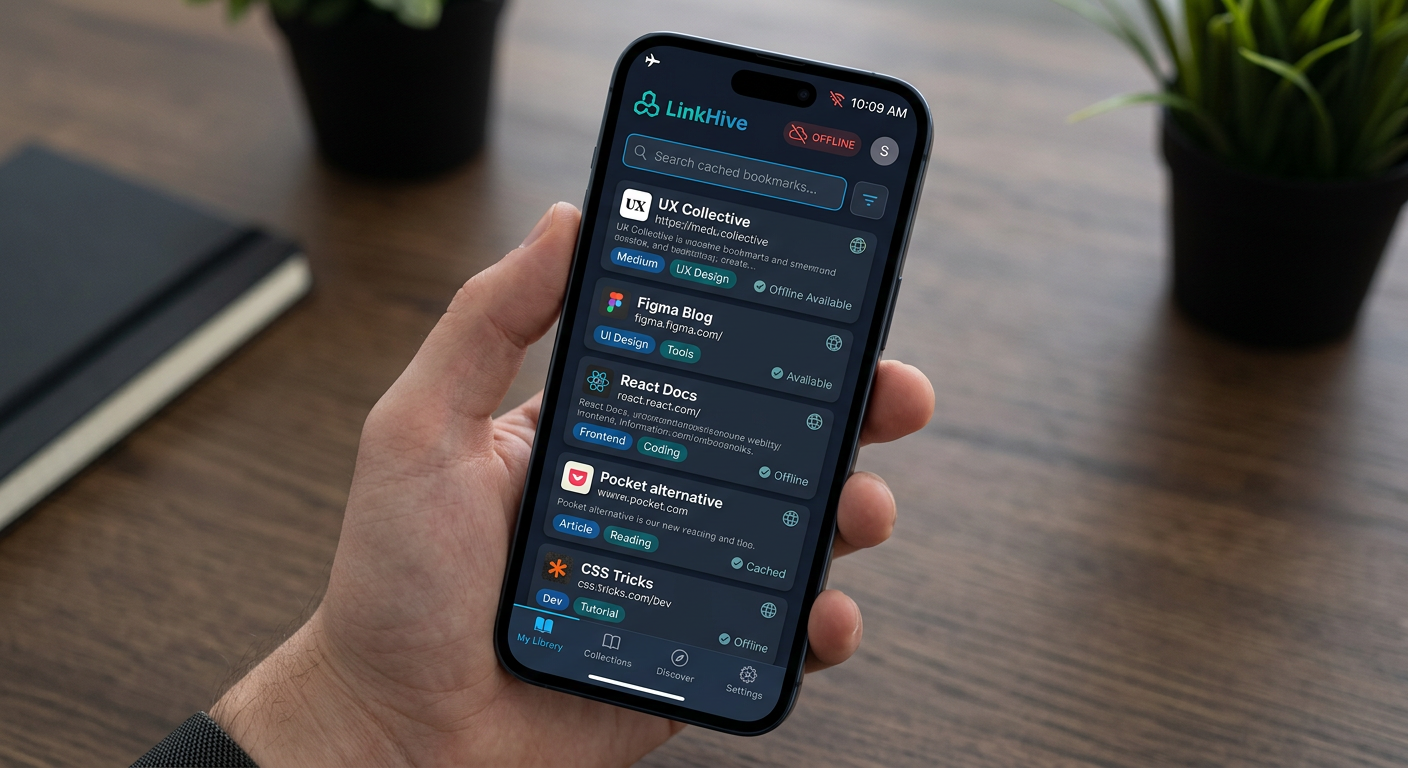
Offline bookmark access means your saved links are cached on your device. You can browse thumbnails, read titles and notes, search your library, and even save new links (which sync when you reconnect). This is fundamentally different from simply having a browser with cached pages — an offline bookmark manager keeps your entire organizational structure available.
Common scenarios where offline access matters: flights and air travel bookmark app, subway and train commutes, rural areas with poor signal, traveling abroad with limited data, data-capped mobile plans, and emergency situations where internet is down.
For professionals who travel, students who study offline, and anyone who lives in areas with unreliable internet, an offline bookmark manager is not a luxury — it is a necessity.
Offline Bookmark Manager Comparison
Here is how the leading bookmark managers compare on offline capabilities.
| Feature | LinkVault | Raindrop | Instapaper | Wallabag | |
|---|---|---|---|---|---|
| Offline browsing | Yes — full library cached | Limited on free | Yes — cached articles | Yes — cached articles | Yes — self-hosted |
| Offline saving | Yes — queued and synced | No | No | No | No |
| Offline search | Yes — full-text | No | No | No | Yes |
| Offline notes editing | Yes | No | No | No | No |
| Automatic sync | Yes — on reconnect | Yes | Yes | Yes | Yes |
| Free plan offline | Yes — all features | Limited | Yes — reading only | Yes — reading only | Yes — self-host |
| PWA install | Yes — no app store | No — native app | No — native app | No — native app | No — web only |
| Offline thumbnail view | Yes | No | No | No | No |
LinkVault: Full Offline Access on the Free Plan
LinkVault is designed as a Progressive Web App (PWA) with offline as a core feature, not a premium add-on. When you install LinkVault on your phone or desktop, your saved links, notes, tags, and categories are cached locally on your device.
This means you can do all of the following without an internet connection:
Browse your entire bookmark library in grid or list view with cached thumbnails. Search your bookmarks using full-text search across titles, notes, and tags. Open any saved link to view its cached metadata and your personal notes. Add new links — they are stored in an offline queue and synced automatically when you reconnect. Edit existing links — add notes, change tags, move categories. All changes sync when you are back online.
The offline queue is the key differentiator. Most bookmark managers can display cached content offline, but they cannot save new links offline. LinkVault's offline queue stores new saves locally and processes them automatically when your device reconnects, so you never lose a link because you were offline.
This makes LinkVault the most capable offline bookmark manager on the market, especially for free. No other tool in this comparison offers offline saving, offline full-text search, and offline notes editing on a free plan.
Pocket (Discontinued July 2025) and Instapaper: Offline Reading, Not Offline Bookmarking
Pocket, which shut down on July 8, 2025, was a read-later tool that cached article text for offline reading. It was not a full bookmark manager — you could not search your library offline, add new links offline, or edit tags and notes offline. Pocket's offline mode was a reader mode for cached articles, not a full bookmark manager that works offline.
Instapaper works similarly — cached articles are available offline, but the organizational features (folders, tags, search) require an internet connection.
If your primary use case is reading articles offline, Instapaper may suffice. If you want a full bookmark manager that works offline — saving, searching, organizing, and editing — LinkVault is the better choice. Pocket is no longer available as it shut down in July 2025.
Raindrop: Limited Offline on Free Plan
Raindrop.io offers some offline functionality, but it is limited on the free plan. Premium users get better offline access, but free users may find that not all features work without internet.
Raindrop's mobile apps cache some content for offline viewing, but the offline experience is not as seamless as LinkVault's PWA approach. You cannot save new links offline or search your library offline on Raindrop's free plan.
If offline access is important to you and you do not want to pay for premium, LinkVault offers the most comprehensive offline bookmark manager experience for free.
Wallabag: Self-Hosted Offline Access
Wallabag is a self-hosted, open-source bookmark manager that offers offline access. Because you host it yourself, your data is always available locally, and you can configure offline caching.
The limitation is that Wallabag requires self-hosting, which means you need a server, technical knowledge, and ongoing maintenance. For users who want the convenience of a cloud-hosted tool with offline access, LinkVault is a simpler choice. For users who want complete control over their data and are comfortable with self-hosting, Wallabag is a strong offline option.
How to Set Up LinkVault for Offline Use
Getting offline access with LinkVault is simple. Here is how to set it up.
- Open LinkVault in your browser (Chrome on Android, Safari on iOS, or any browser on desktop)
- Sign up for a free account and save a few links
- Install LinkVault as a PWA — on Android, tap the install prompt or use the browser menu and select "Install app." On iOS Safari, tap the Share button and select "Add to Home Screen."
- LinkVault caches your saved links locally as you use them
- Once cached, you can browse, search, and save links without an internet connection
- New links and edits are stored in an offline queue and synced automatically when you reconnect
Who Needs an Offline Bookmark Manager
Offline bookmark access is valuable for specific user profiles.
Travelers: flights, long train rides, and international travel with limited data plans make offline access essential. A traveler saving hotel confirmations, restaurant links, and maps needs to access them without internet.
Students: studying in libraries, cafes, or on commutes where WiFi is unreliable. A student saving bookmark app for researchers papers and course materials needs offline access to their reading list app.
Researchers: fieldwork in areas with poor internet connectivity. A researcher saving reference papers needs offline access to their organized library.
Professionals: client meetings in areas with poor signal, business travel, and presentations where you cannot rely on internet. A professional saving client resources and project links needs offline access.
Commuters: subway and train commutes where signal drops in and out. A commuter saving articles for the ride needs offline access to their reading list.
Anyone in an area with unreliable internet: rural areas, developing regions, and places with frequent outages. Offline bookmark access ensures your saved links are always available, regardless of connectivity.
Frequently Asked Questions
What is the best offline bookmark manager?
LinkVault is the best offline bookmark manager in 2026 because it offers full offline access on its free plan, including offline browsing, offline saving with an automatic sync queue, offline full-text search, and offline notes editing. No other bookmark manager offers all of these offline features for free.
Can I save bookmarks without an internet connection?
Yes. LinkVault lets you save new links without an internet connection. New saves are stored in an offline queue and synced automatically when your device reconnects to the internet. Most other bookmark managers do not support offline saving.
Does LinkVault work offline?
Yes. LinkVault is a Progressive Web App (PWA) with full offline support. Your saved links, notes, tags, and categories are cached locally on your device. You can browse, search, save, and edit bookmarks without an internet connection, and everything syncs automatically when you reconnect.
Can I search my bookmarks offline?
With LinkVault, yes. Full-text search across titles, notes, and tags works offline because your bookmark data is cached locally. Most other bookmark managers do not support offline search — Instapaper only caches article text for reading, not search functionality. Pocket, which shut down in July 2025, had similar limitations.
What is an offline bookmark manager?
An offline bookmark manager is a bookmarking tool that lets you browse, search, save, and organize your saved links without an internet connection. Your bookmark data is cached locally on your device, so you can access it anytime. LinkVault is the best free offline bookmark manager because it offers offline saving, offline search, and offline editing on its free plan.
Does Raindrop work offline?
Raindrop offers limited offline functionality on its free plan. Premium users get better offline access, but free users cannot save new links offline or search their library offline. If offline access is important to you and you do not want to pay for premium, LinkVault offers the most comprehensive offline bookmark manager experience for free.
Is there a free offline bookmark app for Android?
Yes. LinkVault is a free offline bookmark manager that works on Android as a Progressive Web App. You can install it from Chrome without visiting the Play Store, and it offers full offline access including browsing, searching, saving, and editing bookmarks without an internet connection.
About the Author
LinkVault Team builds LinkVault, a free bookmark manager used across multiple countries for saving and organizing links, notes, and ideas. The team focuses on practical information retrieval, productivity tools, and making the web's best content permanently findable. Learn more about LinkVault.